

ALPHA 0.4 · WEB IS LIVE · DESKTOP AND MOBILE SOON
Your data stays on your device .
Notes, tasks, files and secrets live in one encrypted workspace. Search and optional AI help, with sources. Sync and recovery stay under your control.
Runs in the browser. Nothing to install.
02. Work & projects›Q3 product strategy
Q3 product strategy
SUBPAGES
- Context Product
- Roadmap
- System architecture
Goals
- Keep the capture → find → act loop under five minutes
- Make vault and sync trust visible
THEMES
Six themes. The page follows.
Context leaves the look of your workspace to you: six colour schemes, light/dark/system, and the interface font. This page runs on the same system, so whatever you pick here is what you would get inside the product — visible before you install anything.
CAPTURE
Write it down before it's gone.
Tasks, notes and dates — same place, same shortcut. Today, Tomorrow and This week are already separated; there's no new system to learn.
Tasks grouped by date, labelled by priority.
Today 3
Tomorrow 2
This week 2
FIND
You don't have to remember where you put it.
⌘K searches pages, tools and records at once. AI help cites its sources in the answer, and never touches your secrets unless you open them.
Command palette · pages and tools in one list.
02. Work & projects›Q3 product strategy
Q3 product strategy
SUBPAGES
- Context Product
- Roadmap
- System architecture
Goals
- Keep the capture → find → act loop under five minutes
- Make vault and sync trust visible
VAULT
Secrets stay masked.
API keys and passwords are kept in the encrypted vault. You reveal a value; nothing reveals it for you. You keep the keys.
The row below works. Go ahead and try it.
OpenAI API Key
sk—••••••••••••9f3a
Postgres · production
••••••••••••••••
RECOVER
An unverified backup isn't a backup.
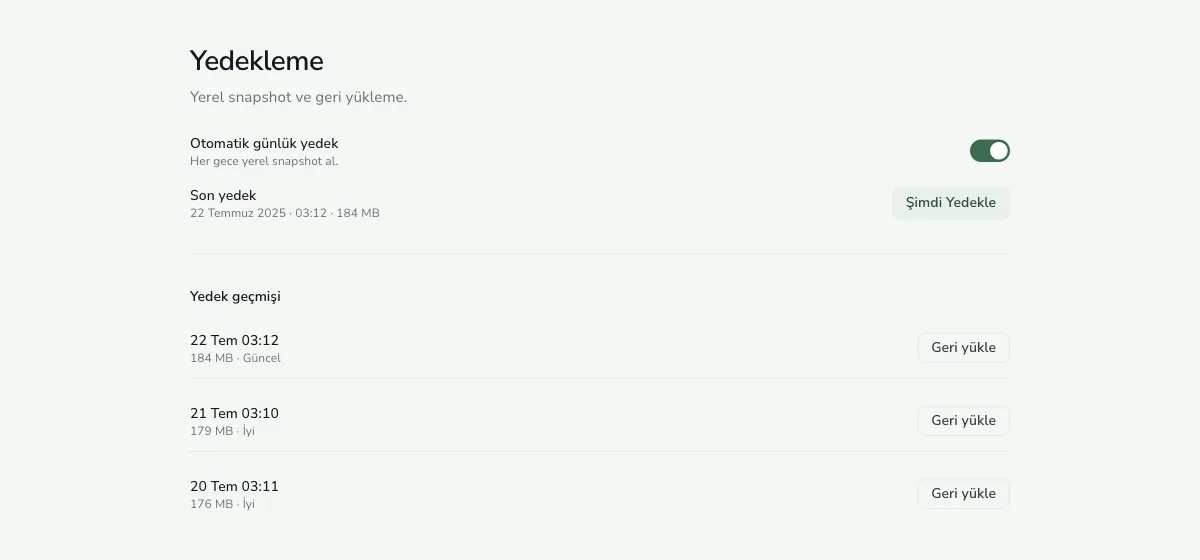
A local snapshot every night, a restore history, and a clean-device recovery path. You can see when each backup ran and how large it is.
Backup · local snapshots and restore.
Automatic daily backup
Every night at 03:00 · on this device
SCREENSHOTS
The app itself.
The previews above repaint with whatever theme you pick. These are the product's actual screenshots — how it looks today, in alpha 0.4.
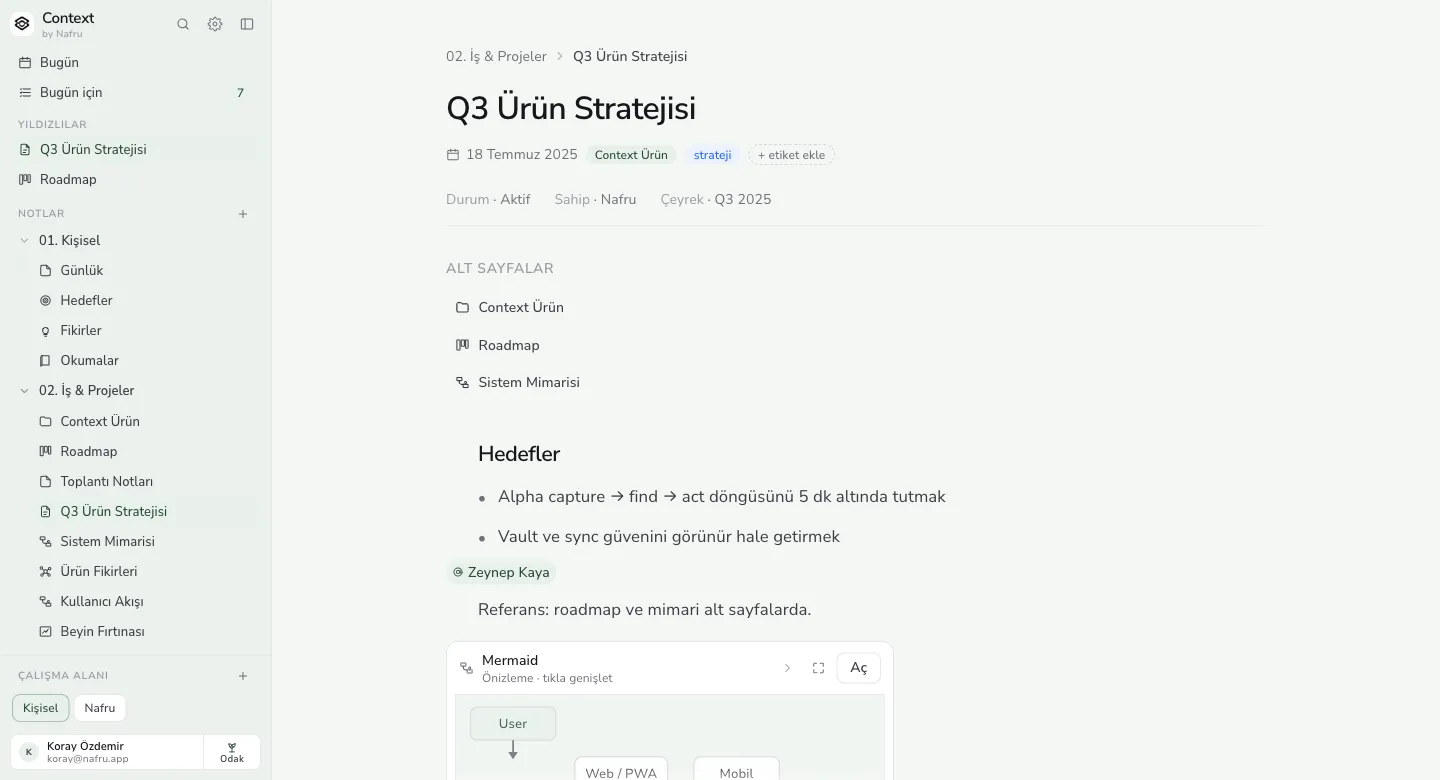
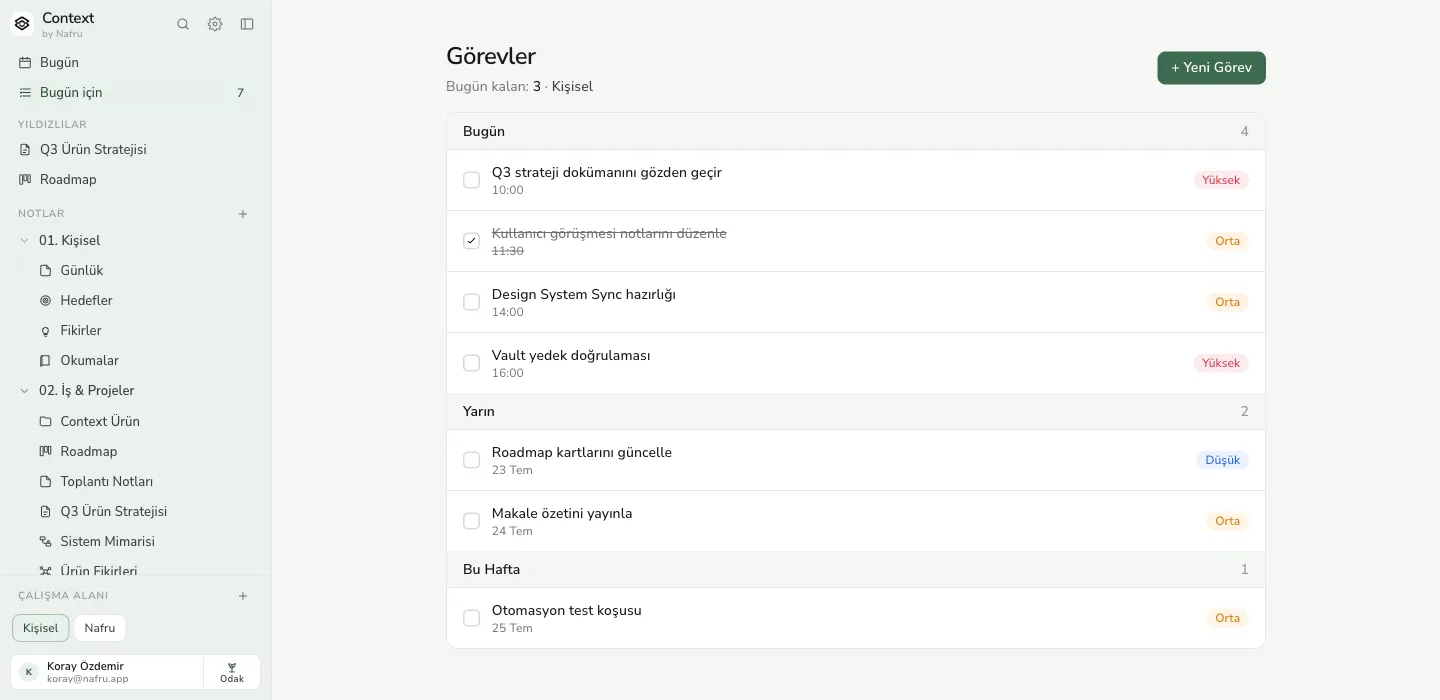
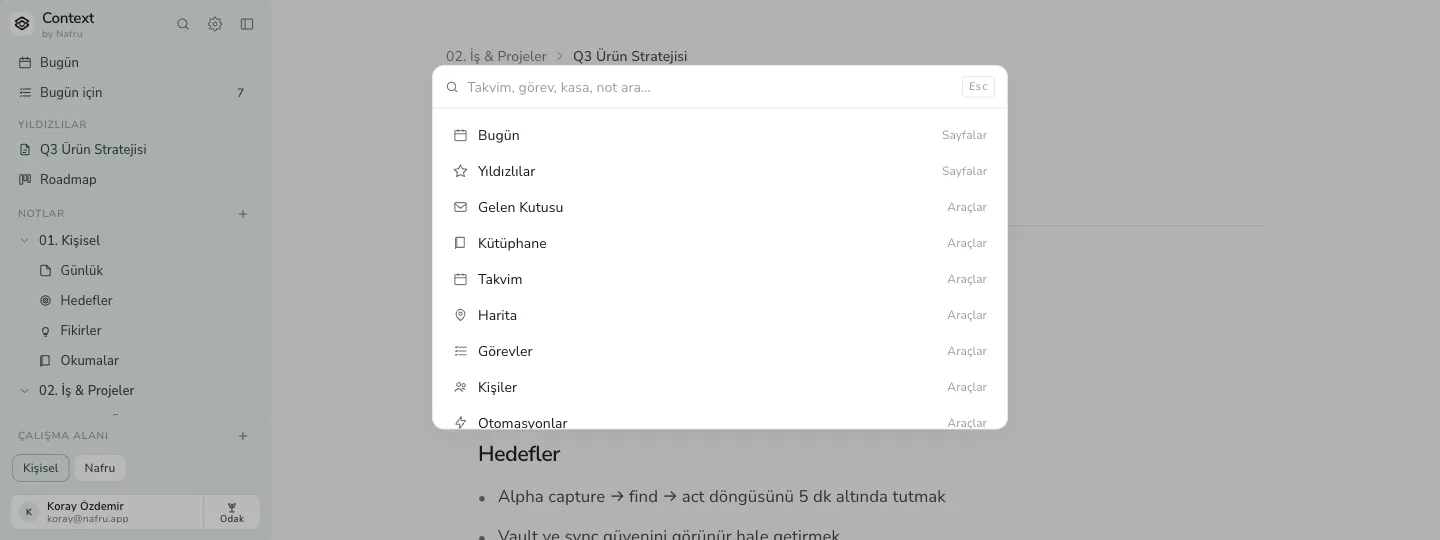
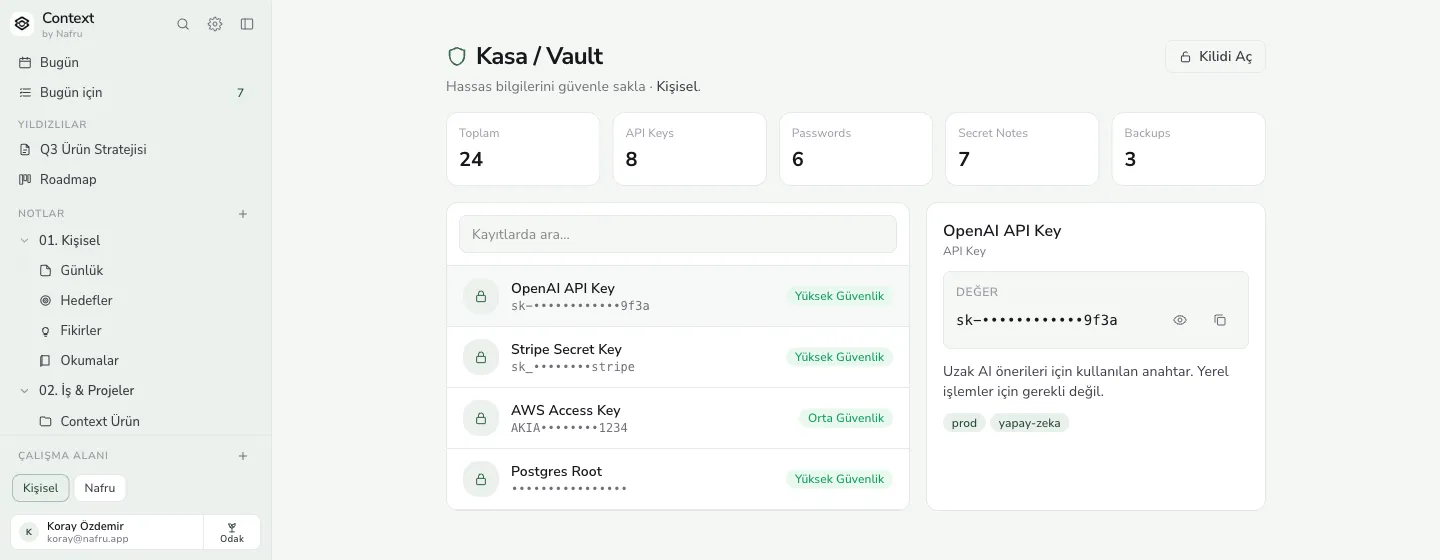
Captured in the Forest theme. In the app, the theme is your choice.
PLATFORMS
Web today. The rest is on the way.
We list only what actually runs. The web version is live now; desktop and mobile will appear here when they are ready.
LIMITS
What we don't promise.
The most useful part of a privacy page is not what the product can do but what it can't. This is that list, as it stands today.
Alpha 0.4 is not a stable release.
Features and the data format are still moving. Don't keep your only copy here — Markdown export works today.
Sync ships switched off.
Nothing leaves your device on install. Turning it on is your call, and settings show which workspace is being synced.
AI cites its source and stays out of the vault.
The optional assistant names the note it used. It doesn't read vault records unless you open them.
No independent audit yet.
The scope and the auditor agreement are drafted. Until a report exists, we don't say “audited”.
PRICING
Free to start, five dollars to grow.
The free plan keeps working throughout the alpha. Standard is $5 a month and includes a 14-day trial on your first purchase; Education is $2.50 for students and teachers.
FAQ
Asked before installing.
Where does my data live?
On your device. Sync ships switched off, so nothing leaves after install. If you turn sync on, settings show which workspace is being synced, and you can turn it off again at any point.
Do I need an account?
Not to try the web version. An account is only needed for sync, backup pairing and a subscription.
Does the AI read my notes?
Only when you ask, and only the notes relevant to what you asked. It names the note it used in its answer. It does not read vault records unless you open them.
Can I take my data with me?
Yes. Markdown export works today, and the vault backup exports separately. During the alpha we'd rather you didn't keep your only copy here.
When are desktop and mobile coming?
We're not giving dates. They will show up on the download page when they're ready; if it says “soon” today, that means not yet — not next week.
Open a workspace and see for yourself.
No sign-up, no card. The web version runs in your browser; if it isn't for you, close the tab.